My Haas Welcome,
!
Haas Tooling MyHaas/HaasConnect Sign In Register Haas Tooling MyHaas/HaasConnect Sign Out Welcome, My Machines Latest Activity My Quotes My Account My Users Sign Out
Find Your Distributor
  1. Select Language
    1. English
    2. Deutsch
    3. Español - España
    4. Español - México
    5. Français
    6. Italiano
    7. Português
    8. Český
    9. Dansk
    10. Nederlands
    11. Magyar
    12. Polski
    13. Svenska
    14. Türkçe
    15. 中文
    16. Suomi
    17. Norsk
    18. الإنجليزية
    19. български
    20. Hrvatski
    21. Ελληνικά
    22. Română
    23. Slovenský
    24. Slovenščina
    25. 한국어
    26. 日本語
    27. Українська
  • machines Main Menu
    • Vertical Mills
      Vertical Mills
      Vertical Mills View All
      • Vertical Mills
      • VF Series
      • Universal Machines
      • VR Series
      • VP-5 Prismatic
      • Pallet-Changing VMCs
      • Mini Mills
      • Mold Machines
      • High-Speed Drill Centers
      • Drill/Tap/ Mill Series
      • Toolroom Mills
      • Pocket Mill
      • Compact Mills
      • Gantry Series
      • SR Sheet Routers
      • Extra-Large VMC
      • Double-Column Mills
      • 3+2 Positioning Machines
    • Multi-Axis Solutions
      Multi-Axis Solutions
      Multi-Axis Solutions View All
      • Multi-Axis Solutions
      • Y-Axis Lathes
      • 5-Axis Mills
    • Lathes
      Lathes
      Lathes View All
      • Lathes
      • ST Series
      • Dual-Spindle
      • Box Way Series
      • Toolroom Lathes
      • Chucker Lathe
      • Haas Bar Feeders
    • Horizontal Mills
      Horizontal Mills
      Horizontal Mills View All
      • Horizontal Mills
      • 50-Taper
      • 40-Taper
    • Rotaries & Indexers
      Rotaries & Indexers
      Rotaries & Indexers View All
      • Rotaries & Indexers
      • Rotary Tables
      • Indexers
      • 5-Axis Rotaries
      • Extra-Large Rotaries
    • Special Series
      Special Series
      Special Series View All
      • Special Series
      • EU_Series_Redirect
    • Automation Systems
      Automation Systems
      Automation Systems View All
      • Automation Systems
      • Mill Automation
      • Lathe Automation
      • Automatic Parts Loaders
      • Automation Models
    • Desktop Machines
      Desktop Machines
      Desktop Machines View All
      • Desktop Machines
      • Desktop Mill
      • Desktop Lathe
      • Control Simulator, Standard
      • Control Simulator, Premium
    • Shop Equipment
      Shop Equipment
      Shop Equipment View All
      • Shop Equipment
      • Knee Mill
      • Haas Manual Lathes
      • Haas Saws
    • Fabrication Machines
      Fabrication Machines
      Fabrication Machines View All
      • Fabrication Machines
      • Laser Cutting Machines
      • CNC Press Brakes
    • QUICK LINKS Special Series  Special Series 
      EU SERIES EU SERIES BUILD & PRICE | PRICE LIST BUILD & PRICE | PRICE LIST In-Stock Machines In-Stock Machines WHAT’S NEW WHAT’S NEW YOUR FIRST CNC YOUR FIRST CNC
      SHOPPING TOOLS
      • Build & Price a Haas
      • Price List
      • Available Inventory
      • CNCA Financing
      WANT TO TALK TO SOMEONE?

      A Haas Factory Outlet (HFO) can answer your questions, and walk you through your best options.

      CONTACT YOUR DISTRIBUTOR >
  • Options Main Menu
    • The Haas Control Value Option Packages
      Value Option Packages
      Value Option Packages View All
      • Value Option Packages
    • Product Image Spindles
      Spindles
      Spindles View All
      • Spindles
    • Product Image Tool Changers
      Tool Changers
      Tool Changers View All
      • Tool Changers
    • Product Image 4th- | 5th-Axis
      4th- | 5th-Axis
      4th- | 5th-Axis View All
      • 4th- | 5th-Axis
    • Product Image Turrets & Live Tooling
      Turrets & Live Tooling
      Turrets & Live Tooling View All
      • Turrets & Live Tooling
    • Product Image Probing
      Probing
      Probing View All
      • Probing
    • Haas Chip & Coolant Management Chip & Coolant Management
      Chip & Coolant Management
      Chip & Coolant Management View All
      • Chip & Coolant Management
    • The Haas Control The Haas Control
      The Haas Control
      The Haas Control View All
      • The Haas Control
    • Product Image Product Options
      Product Options
      Product Options View All
      • Product Options
    • Product Image Tooling & Fixturing
      Tooling & Fixturing
      Tooling & Fixturing View All
      • Tooling & Fixturing
    • Product Image Workholding
      Workholding
      Workholding View All
      • Workholding
    • Product Image 5-Axis Solutions
      5-Axis Solutions
      5-Axis Solutions View All
      • 5-Axis Solutions
      • 5 Easy Steps to 5-Axis
    • QUICK LINKS Special Series  Special Series 
      EU SERIES EU SERIES BUILD & PRICE | PRICE LIST BUILD & PRICE | PRICE LIST In-Stock Machines In-Stock Machines WHAT’S NEW WHAT’S NEW YOUR FIRST CNC YOUR FIRST CNC
      SHOPPING TOOLS
      • Build & Price a Haas
      • Price List
      • Available Inventory
      • CNCA Financing
      WANT TO TALK TO SOMEONE?

      A Haas Factory Outlet (HFO) can answer your questions, and walk you through your best options.

      CONTACT YOUR DISTRIBUTOR >
  • Why Haas Main Menu
      Discover the Haas Difference
    • Why Haas
    • MyHaas
    • Education Community
    • Industry 4.0
    • Haas Certification
    • Customer Testimonials
  • Service Main Menu
      Welcome to Haas Service
      SERVICE HOME Operator’s Manuals How-To Procedures Troubleshooting Guides Preventive Maintenance Haas Parts Haas Tooling Videos
  • Videos Main Menu
  • Main Menu
    • View All
    • View All
    • View All
    • View All
      • HTEC Curriculum Support
      • Haas Value Option Packages (VOP) Journey
    • View All
      • Haas 10 kg Cobot Package
      • Cobot Kits
      • DC-1 Drill Center
      • CNC Sales News
      • Do More With Your Haas
    • View All
    • View All
      • contact-us-test
      • 4 - AUTOMATION SYSTEMS
      • Carousel-V2
      • expert test
      • Demo_Day_Trident-test
      • Link Test
      • image-sale-tag-test
      • article-list-test
      • Haas 25 kg Robot Package
      • test-algolia-page
    • View All
    • View All
    • View All
    • View All
      • calc-test
    • View All
    • QUICK LINKS Special Series  Special Series 
      EU SERIES EU SERIES BUILD & PRICE | PRICE LIST BUILD & PRICE | PRICE LIST In-Stock Machines In-Stock Machines WHAT’S NEW WHAT’S NEW YOUR FIRST CNC YOUR FIRST CNC
      SHOPPING TOOLS
      • Build & Price a Haas
      • Price List
      • Available Inventory
      • CNCA Financing
      WANT TO TALK TO SOMEONE?

      A Haas Factory Outlet (HFO) can answer your questions, and walk you through your best options.

      CONTACT YOUR DISTRIBUTOR >
  • Haas Tooling Main Menu
  • Haas Service Parts Main Menu

My Haas Welcome,
!
Haas Tooling MyHaas/HaasConnect Sign In Register Haas Tooling MyHaas/HaasConnect Sign Out Welcome, My Machines Latest Activity My Quotes My Account My Users Sign Out
Find Your Distributor
  1. Select Language
    1. English
    2. Deutsch
    3. Español - España
    4. Español - México
    5. Français
    6. Italiano
    7. Português
    8. Český
    9. Dansk
    10. Nederlands
    11. Magyar
    12. Polski
    13. Svenska
    14. Türkçe
    15. 中文
    16. Suomi
    17. Norsk
    18. الإنجليزية
    19. български
    20. Hrvatski
    21. Ελληνικά
    22. Română
    23. Slovenský
    24. Slovenščina
    25. 한국어
    26. 日本語
    27. Українська
×

Search Results

Web Pages

Images

    • <
    • 1
    • >

UMC Robots

  1. Automation Systems
  2. Mill Automation
  3. UMC Automation
  4. UMC Robots

MILL ROBOTS

Choosing the Right Robot for Your UMC

5 kg Capacity
Cobot System
800 mm Reach

Max Part Weight: 
6.3 lb (2.9 kg)
Part Size: 
Ø0.55" to 5.25" (Ø14 to 133 mm)

Learn More | Build & Price

10 kg Capacity
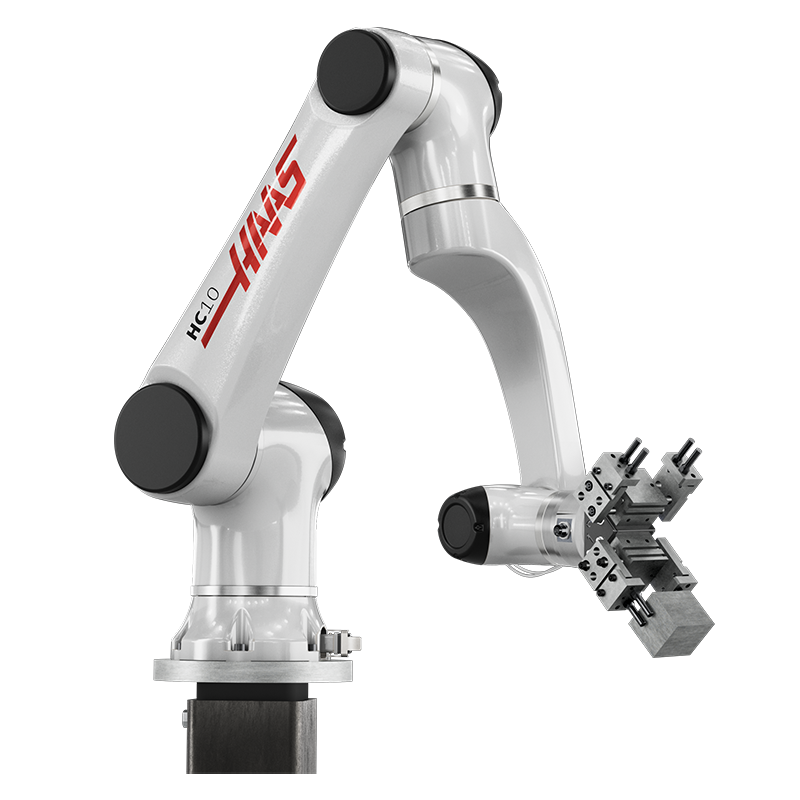
Cobot System
1000 mm Reach

Max Part Weight: 
14.5 lb (6.6 kg)
Part Size: 
Ø0.625" to 6" (Ø16 to 152 mm)

Learn More | Build & Price

15 kg Capacity
Cobot System
1300 mm Reach

Max Part Weight: 
19.8 lb (9 kg)
Part Size: 
Ø2.25" to 8.5" (Ø57 to 215 mm)

Learn More | Build & Price

20 kg Capacity
Cobot System
1418 mm Reach

Max Part Weight: 
25 lb (11.4kg)
Part Size: 
Ø2.25" to 8.5" (Ø57 to 215 mm)

Learn More | Build & Price

30 kg Capacity
Cobot System
1800 mm Reach

Max Part Weight:
49.7 lb  (22.5 kg)
Part Size:
Ø0.50" to 6.0" (Ø13 to 152 mm)

Learn More | Build & Price

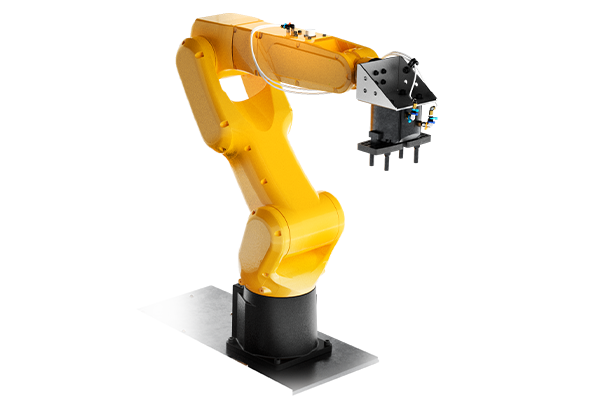
7 kg Capacity
Robot System
911 mm Reach

Max Part Weight: 
7.9 lb (3.6 kg)
Part Size: 
Ø0.38" to 6.2" (Ø10 to 157 mm)

Learn More | Build & Price

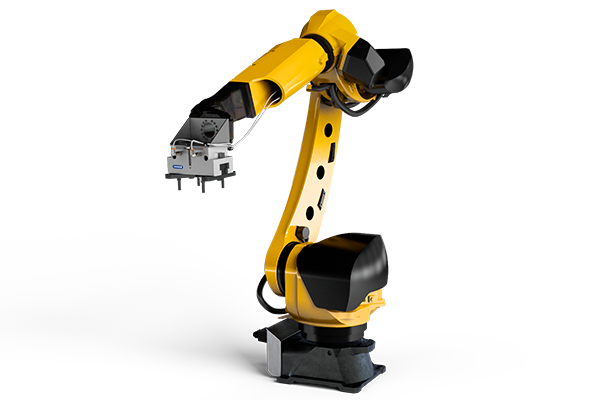
25 kg Capacity
Robot System
1831 mm Reach

Max Part Weight: 
30 lb (13.6 kg)
Part Size: 
Ø0.55" to 8.25" (Ø14 to 210 mm)​

Learn More | Build & Price

50 kg Capacity
Robot System
2050 mm Reach

Max Part Weight: 
40 lb (18.1 kg)
Part Size: 
Ø3.25" to 12.1" (Ø82 to 305 mm)​

Learn More | Build & Price

25 kg Robotic
Pallet Loading System

Max Part Weight: 
43 lb (19.5 kg)
Pallet Size: 
8.27" x 8.27" (210 x 210 mm)

Learn More | Build & Price

30 kg Robotic
Pallet Loading System

Max Part Weight: 
53 lb (24 kg)
Pallet Size: 
8.27" x 8.27" (210 x 210 mm)

Learn More | Build & Price

Product Videos

Set Up Videos

Customer Testimonials

Recently Updated

Haas Automatic Part Loader Videos


SPACE EFFICIENT

COST EFFECTIVE

EASY TO INTEGRATE

EASY TO LEARN

SEE HOW EASY IT IS TO INSTALL

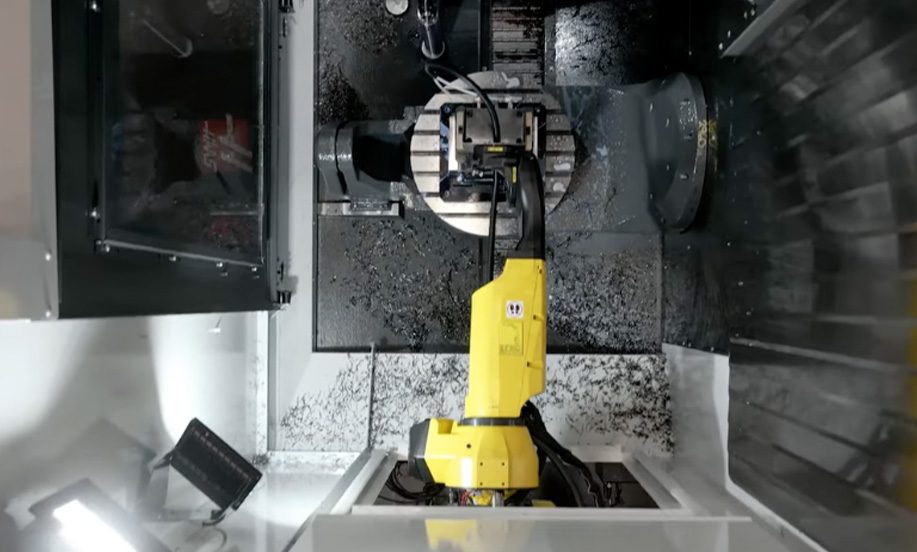
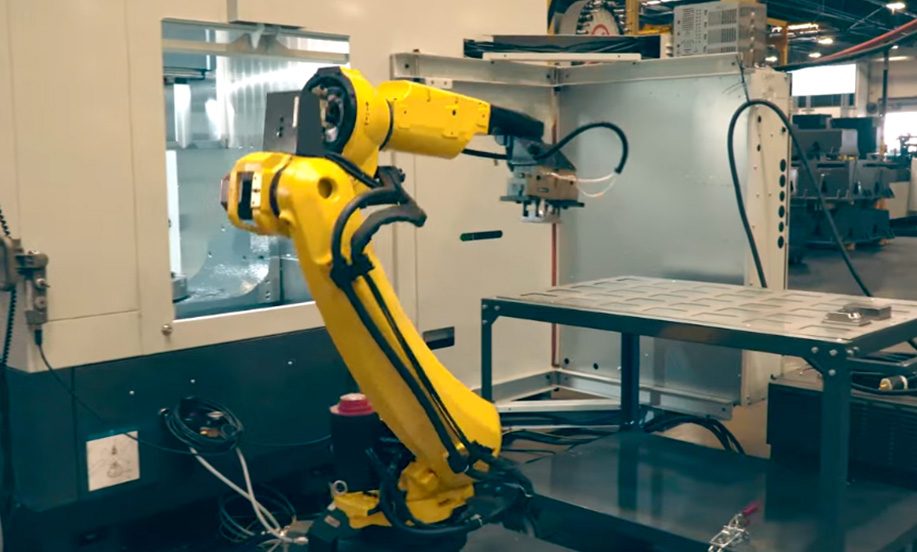
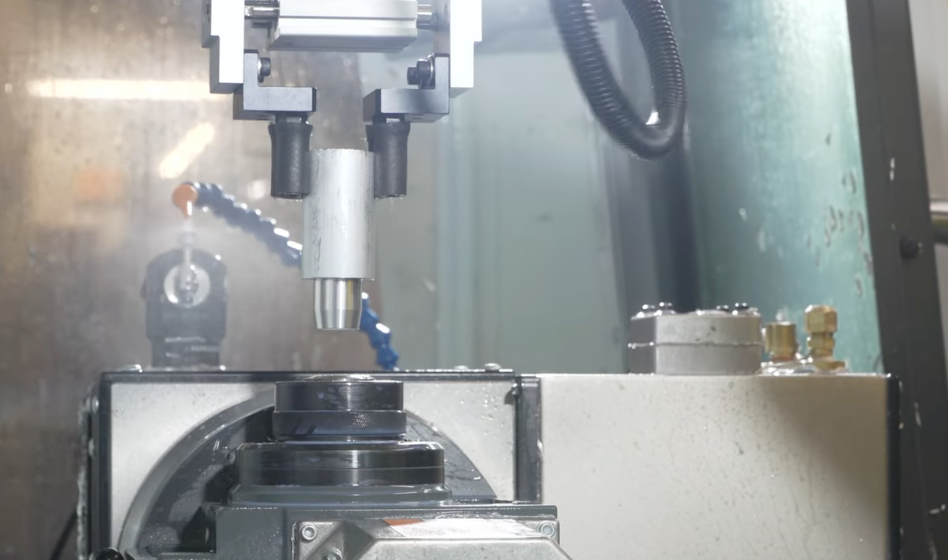
Haas Robot Packages are the easiest and quickest to set up in the industry, and you don’t need a 3rd-party integrator. Your local HFO will do the install for you in just a few hours, rather than the days or weeks required for other systems.

FAST, EASY AUTOMATION

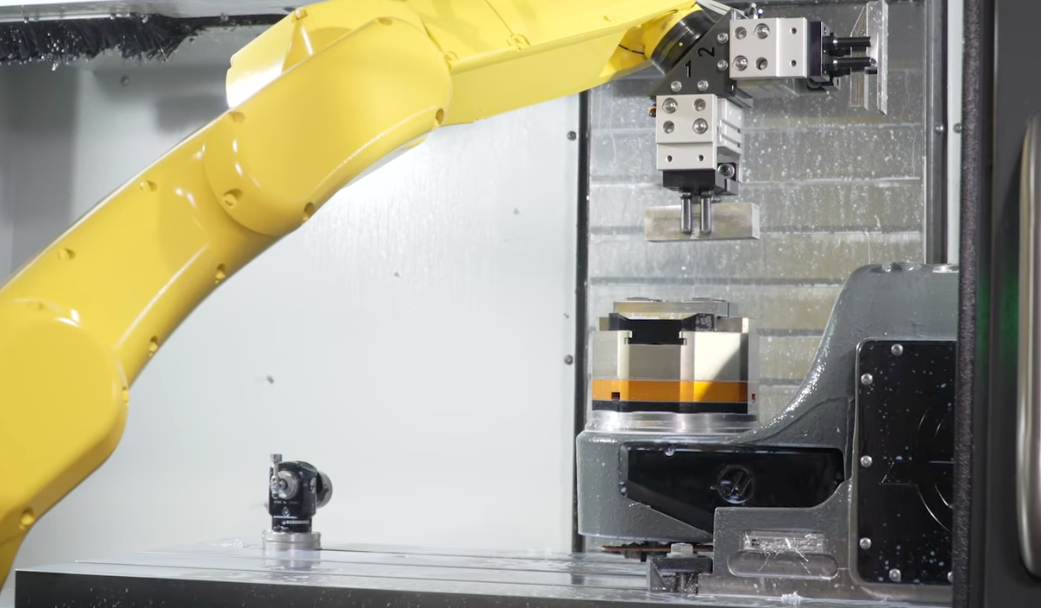
There’s never been an easier way to add a 6-axis robot to a Haas machine. With Haas Robot Packages, you set up and control the robot directly from the Haas control, with no need for complex PLC connections or a 3rd-party integrator.

SEE WHAT’S INCLUDED

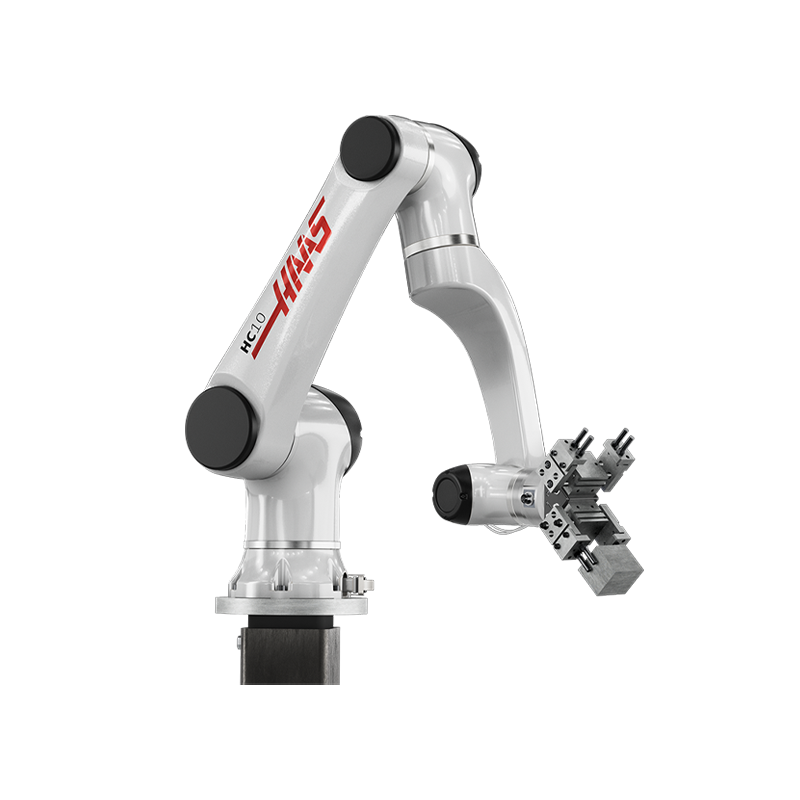
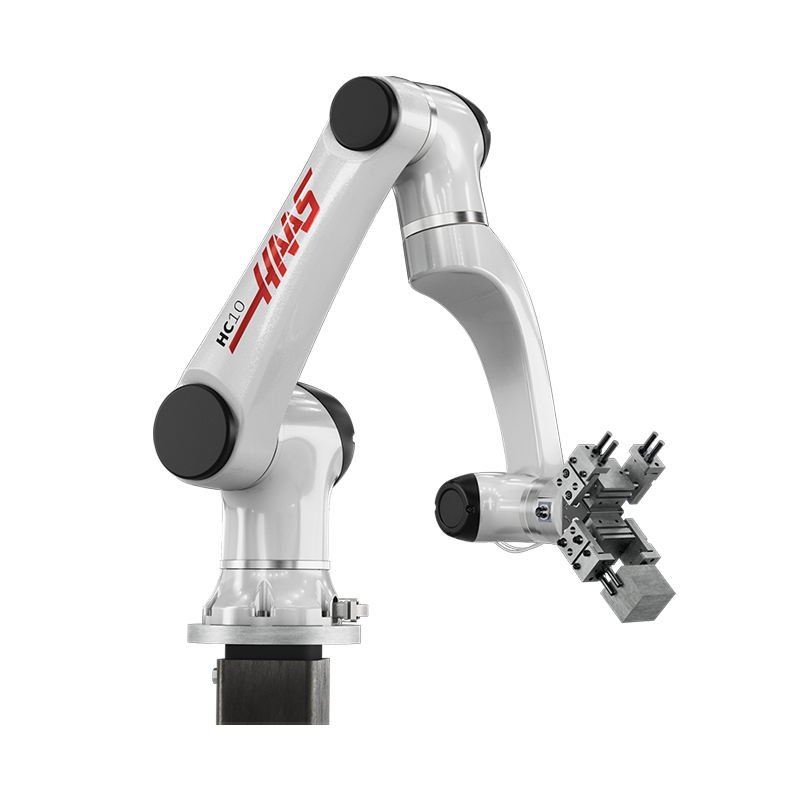
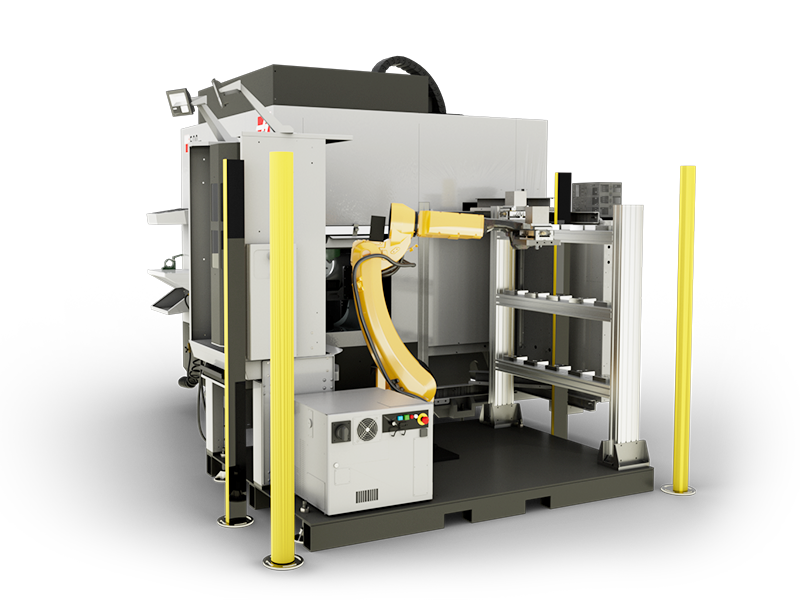
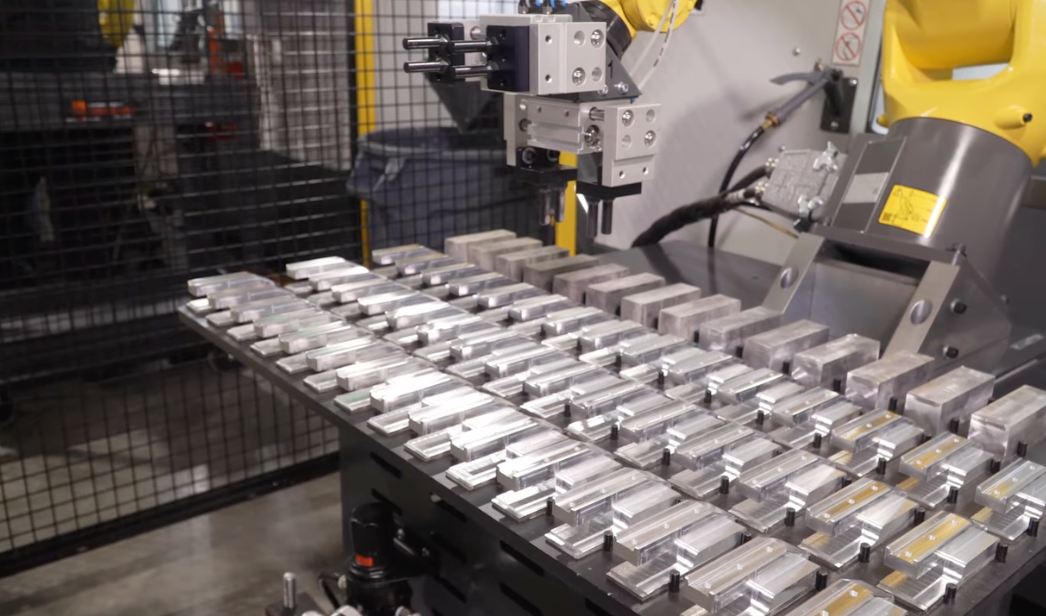
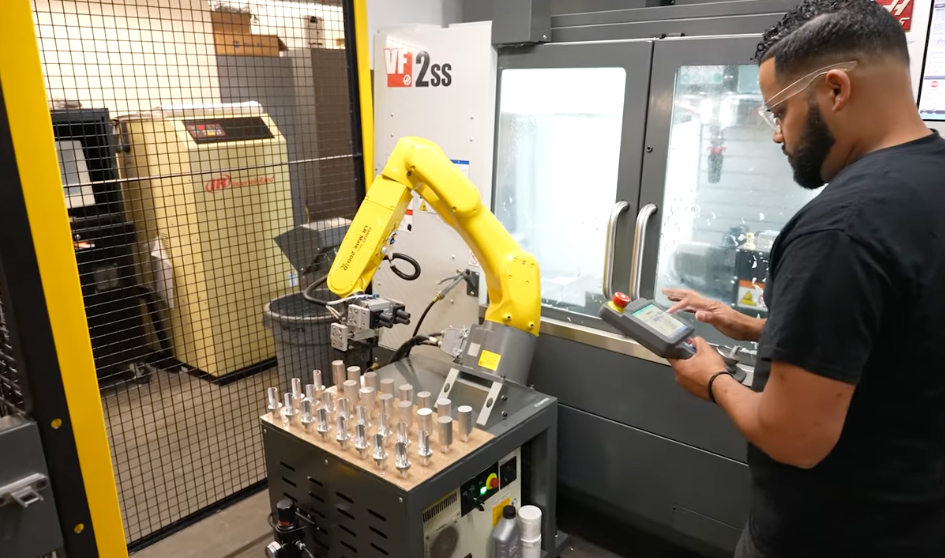
Each Haas Robot Package includes everything you need start loading parts quickly: 6-axis robot, software interface for direct control through the Haas machine, electrical interface box, safety guarding, and all necessary solenoids, hardware, and cables.

STAY COMPETITVE

Manufacturing Engineer Mallory Tevini speaks about how robots can help address some of the most common concerns shops have these days. Check out how a Haas robot can help your shop. 

HAAS ROBOT PACKAGES OVERVIEW

Haas offers three sizes of robots, ranging in weight capacity, reach, and machine compatibility. Watch this video to see what comes with each package, what machines they can go on, and more.

EASILY CUSTOMIZABLE

When you get a Haas Robot Package, you get a system that is ready to go out of the gate. But there are also lots of simple and relatively inexpensive ways to customize your robot cell to adapt it to your specific parts and intended level of automation. 

Manufacturing Engineer Mallory Tevini gives us a bunch of great examples for ways you can make your robot cell fit your shop's circumstances perfectly.

Recently Updated

SEE HOW AUTOMATION HAS HELPED HAAS CUSTOMERS


See why other Haas customers chose to add automation to their shop, and how it has helped them increase productivity and reduce costs.

EVERYTHING CAN BE SET UP BY YOUR HFO OR YOU. NO 3RD-PARTY INTEGRATOR IS NEEDED.

AMI Machining – VF-2SS + Robot

Customer Spotlight

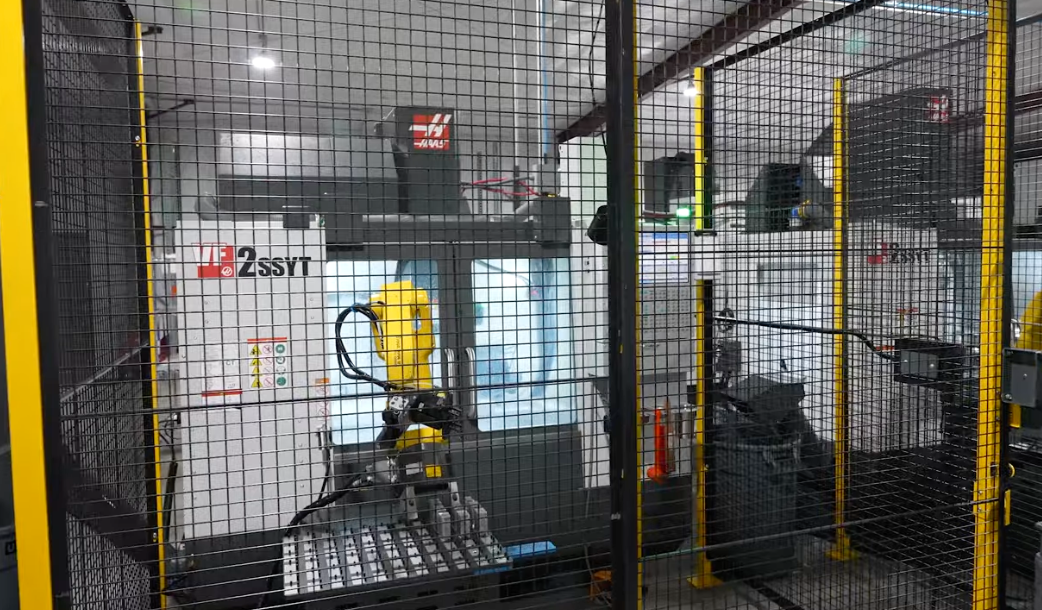
AMI Machining incorporated their first robot with the VF-2SS in their job shop, which allowed their operators to train more employees and run more machines.

“While the robot is running, I am able to do other setups. I am to run jobs. I am able to help anyone else that needs my help. Because the robot is making parts while I go to lunch or in the back, I am able to do other things that I wouldn't be able to if the robot wasn’t helping." 
– Esteban Rodriguez, Lead CNC Machinist, AMI Machining

PRIMARY MACHINE AND REPAIR – VF-2SSYT + Robot 

Customer Spotlight

“The Haas Robot Package has allowed us to triple our production. Before we purchased the Robot Package-1, we were looking to hire a person for the night shift, and now that we have the Robot Package, we are able to run our machine lights-out, and still keep our overhead relatively low.”

– Cherish Vining, Owner

MASTEQ – VF-2SS + Robot

Customer Spotlight

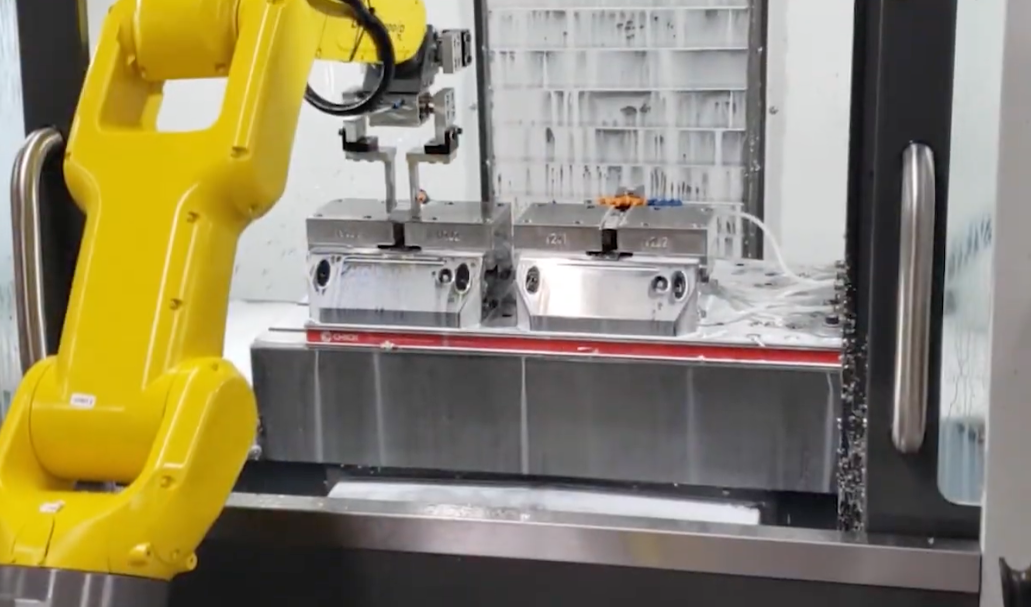
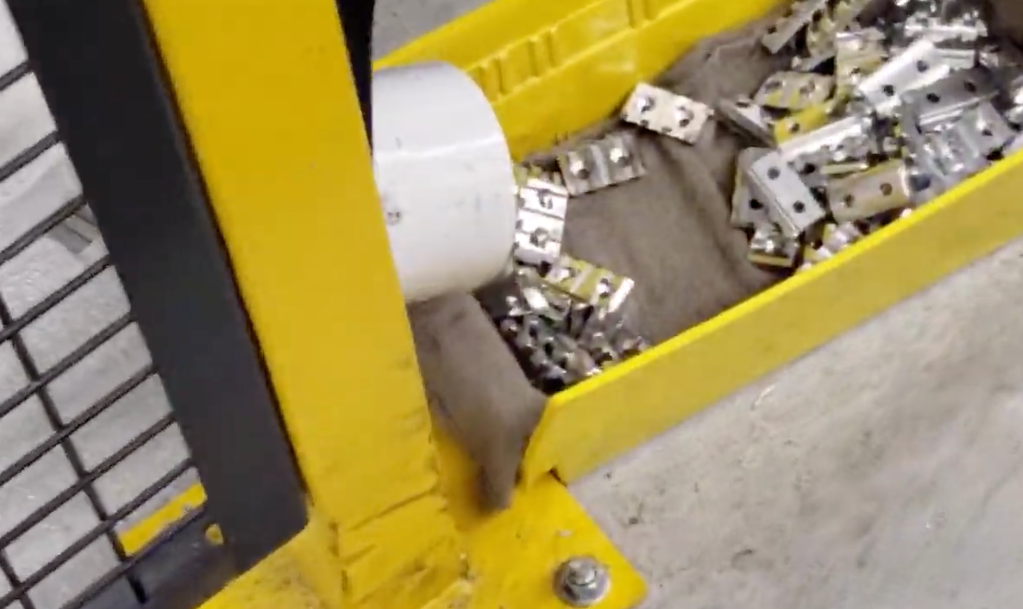
See how Masteq Tool & Engineering optimized their Haas robot setup with multiple vises and a custom part drop-off point.

“Haas provides an unparalleled value in the market today. The technology, performance, and reliability are why, when we’re in the market for new machines, we always start with Haas!” 

– Mark B. Anderson, Owner - Masteq Tool & Engineering, LLC and Masteq Manufacturing, LLC.

KB PRECISION, LLC
 

DYNAMIC MANUFACTURING & ENGINEERING

Recently Updated

Check out how easy it is to set up the Haas Automatic Part Loader


PART 1: INITIAL SETUP

To get started, navigate to the Devices tab on the Current Commands page. If you have a Haas Robot Package installed, you will have an additional tab, the Robot tab. The Robot tab contains three subtabs: Frames, Jogging, and Setup. Starting with the Setup tab, follow the prompts for setting up the robot.  

To set up the Robot, hit the E-stop on the machine and power-on your robot control. Then, select F1; after a few moments, you will see the Robot connected, and the info updated. Now, release the E-stop and hit reset. You have now connected the Robot to your Haas Machine. 

Watch the video above to set up the basic parameters for your Robot, from setting axis speeds and gripper weight, to setting the positions for the Robot. 


CLICK HERE FOR MORE DETAILS.

PART 2: SAFETY ZONES

Safety Zones are used to ensure your Robot stays within a specific boundary box to help limit the possibility of crashing into your machine. 

First, align your robot to your cage and to the machine. Then, measure your Robot’s distance from the edge of your workspace. All dimensions need to be in millimeters (mm). After measuring all dimensions, you will need to set up your work zone by logging in to the HMI Pendent. You will need to connect the Robot to a computer with internet access via the ethernet cable. 

Watch the video above for step-by-step set up of your Robot’s safety zones, and how to use the HMI Pendent. 

CLICK HERE FOR MORE DETAILS.

PART 3: TEMPLATE SETUP

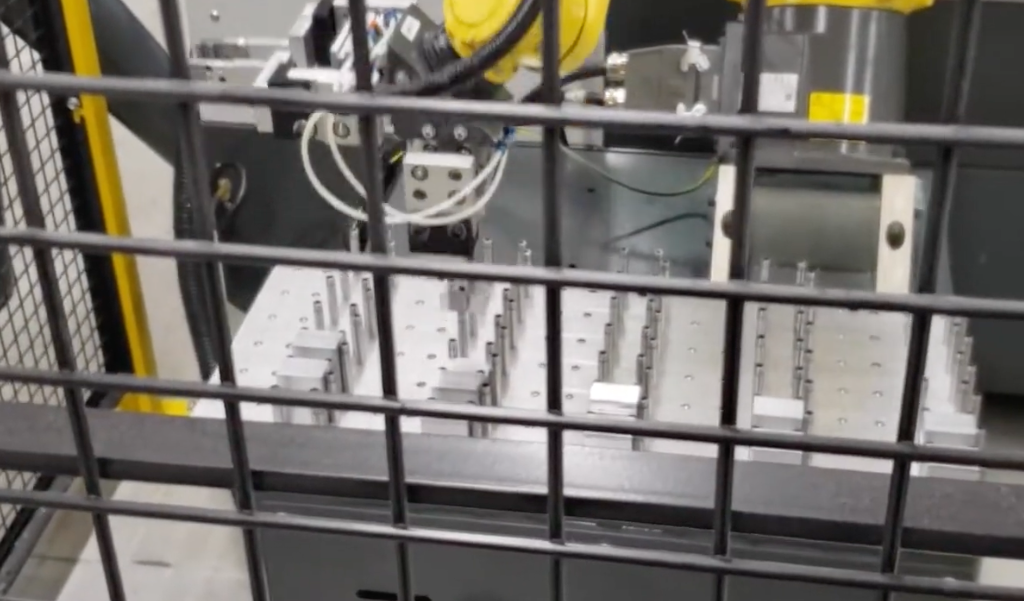
Set up your parts table using the Template tab. The Template tab is a subtab of the Automatic Part Loader under the Devices tab in Current Commands. This is where you will tell your robot how your parts table is set up. 

Start with Sequence Type, where you can choose between Simple and Custom Sequence. If you are a beginner, start with Simple mode. Once the Sequence type is selected, follow the control’s prompts and intuitive instructions to work through the remaining steps to set up your parts table. 

Watch the video above to step through the operations to set up the parts table for your Robot. 

PART 4: LOAD PARTS TAB

Learn how to load parts into your machine using the Load Parts tab. You will first set up your robot speed. Next, you will initiate Handle Jog mode and set up the initial part pick up location. Once this is set, click F2 to set the reference position. Now, work down the different setup tabs to set the pick-up and drop-off spots for loading your part into your machine. 
Watch the video above to set up the movements of your Robot to load your parts. 

PART 5: UNLOAD PARTS TAB

Learn how to use the Unload Parts tab to unload your parts from the machine. The first step is to select from where you wish the Robot to pick up your part, either the main spindle chuck or the sub-spindle chuck on a lathe, or any workholding you have set up on a mill. 


Helpful hint: Record the first position of the finished part pick-up motion in the same position as the last recorded position of ready motion to make a smooth transition between these two motions. 

Watch the video above to set up the movement of your Robot to pick up your finished parts. 

PART 6: RUN JOB & APL SCHEDULER

Now, you are able to reap the benefits of your setup, and allow the robot to run your jobs unattended. Simply navigate to the Run Job tab, and load the job you would like to run. On this tab, you are able to see the current part being machined, the next part to be machined, the number of completed parts, and the total number of parts to be completed. On the APL Scheduler tab, you are able to schedule multiple jobs in sequence. Once the job is loaded, you are able to able to assign the jobs an order number, which corresponds to the order in which the job will be run.
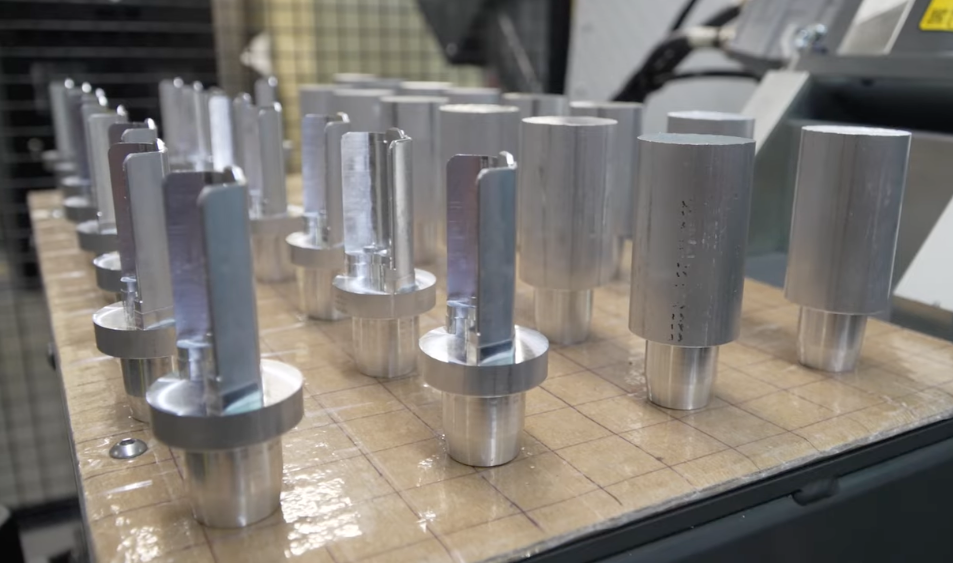
Watch the video above to run and schedule your robot jobs.

PART 7: CUSTOM SEQUENCES

Custom sequence types allow you to create your own set of motions, and implement them into your part program, instead of using the pre-programmed APL sequences in Simple Mode. To turn on custom sequences, simply navigate to the Template tab, and make sure the Sequence Type is set to Custom Sequence.

Watch the video above to learn how to set up and use custom sequences.

Recently Updated

Still have questions? Just ask. We’ll get right back to you.


Be as specific as you like, so we can help you find the best automation for your shop.

Language Preference :
Loading

Recently Viewed Items

You Have No Recently Viewed Items Yet

Feedback
Haas Logo

Haas Delivered Price

This price includes shipping cost, export and import duties, insurance, and any other expenses incurred during shipping to a location in France agreed with you as a buyer. No other mandatory costs can be added to the delivery of a Haas CNC Product.
KEEP UP WITH THE LATEST HAAS TIPS AND TECHNOLOGY...

Sign up now!   

HAAS TOOLING ACCEPTS THE FOLLOWING:

  • Service & Support
  • Owners
  • Request Service
  • Operator Manuals
  • Haas Parts
  • Rotary Repair Request
  • Pre-Install Guides
  • Shopping Tools
  • Build & Price a New Haas
  • Available Inventory
  • The Haas Price List
  • CNCA Financing
  • About Haas
  • Accessibility Statement
  • DNSH Statement
  • Export Compliance
  • Careers
  • Certifications & Safety
  • Contact Us
  • History
  • Terms & Conditions
  • Haas Tooling Terms & Conditions
  • Privacy
  • Warranty
  • Haas Community
  • Haas Certification Program
  • Haas Motorsports
  • Gene Haas Foundation
  • Haas Technical Education Community
  • Events
  • Join the Conversation
  • Facebook
  • X
  • Flickr
  • YouTube
  • LinkedIn
  • Instagram
  • TikTok
© 2026 Haas Automation, Inc – CNC Machine Tools

This site is protected by reCAPTCHA and the Google Privacy Policy and Terms of Service apply.

2800 Sturgis Rd., Oxnard, CA 93030
Toll Free: (888) 817-4446 / Fax: 805-278-8554