My Haas Welcome,
!
Haas Tooling MyHaas/HaasConnect Sign In Register Haas Tooling MyHaas/HaasConnect Sign Out Welcome, My Machines Latest Activity My Quotes My Account My Users Sign Out
Find Your Distributor
  1. Select Language
    1. English
  • machines Main Menu
    • Vertical Mills
      Vertical Mills
      Vertical Mills View All
      • Vertical Mills
      • VF Series
      • Universal Machines
      • VR Series
      • VP-5 Prismatic
      • Pallet-Changing VMCs
      • Mini Mills
      • Mold Machines
      • High-Speed Drill Centers
      • Drill/Tap/ Mill Series
      • Toolroom Mills
      • Pocket Mill
      • Compact Mills
      • Gantry Series
      • SR Sheet Routers
      • Extra-Large VMC
      • Double-Column Mills
      • 3+2 Positioning Machines
    • Multi-Axis Solutions
      Multi-Axis Solutions
      Multi-Axis Solutions View All
      • Multi-Axis Solutions
      • Y-Axis Lathes
      • 5-Axis Mills
    • Lathes
      Lathes
      Lathes View All
      • Lathes
      • ST Series
      • Dual-Spindle
      • Box Way Series
      • Toolroom Lathes
      • Chucker Lathe
      • Haas Bar Feeders
    • Horizontal Mills
      Horizontal Mills
      Horizontal Mills View All
      • Horizontal Mills
      • 50-Taper
      • 40-Taper
    • Rotaries & Indexers
      Rotaries & Indexers
      Rotaries & Indexers View All
      • Rotaries & Indexers
      • Rotary Tables
      • Indexers
      • 5-Axis Rotaries
      • Extra-Large Rotaries
    • Special Series
      Special Series
      Special Series View All
      • Special Series
      • EU_Series_Redirect
    • Automation Systems
      Automation Systems
      Automation Systems View All
      • Automation Systems
      • Mill Automation
      • Lathe Automation
      • Automatic Parts Loaders
      • Automation Models
    • Desktop Machines
      Desktop Machines
      Desktop Machines View All
      • Desktop Machines
      • Desktop Mill
      • Desktop Lathe
      • Control Simulator, Standard
      • Control Simulator, Premium
    • Shop Equipment
      Shop Equipment
      Shop Equipment View All
      • Shop Equipment
      • Knee Mill
      • Haas Manual Lathes
      • Haas Saws
    • Fabrication Machines
      Fabrication Machines
      Fabrication Machines View All
      • Fabrication Machines
      • Laser Cutting Machines
      • CNC Press Brakes
    • QUICK LINKS Special Series  Special Series 
      EU SERIES EU SERIES BUILD & PRICE | PRICE LIST BUILD & PRICE | PRICE LIST In-Stock Machines In-Stock Machines WHAT’S NEW WHAT’S NEW YOUR FIRST CNC YOUR FIRST CNC
      SHOPPING TOOLS
      • Build & Price a Haas
      • Price List
      • Available Inventory
      • CNCA Financing
      WANT TO TALK TO SOMEONE?

      A Haas Factory Outlet (HFO) can answer your questions, and walk you through your best options.

      CONTACT YOUR DISTRIBUTOR >
  • Options Main Menu
    • The Haas Control Value Option Packages
      Value Option Packages
      Value Option Packages View All
      • Value Option Packages
    • Product Image Spindles
      Spindles
      Spindles View All
      • Spindles
    • Product Image Tool Changers
      Tool Changers
      Tool Changers View All
      • Tool Changers
    • Product Image 4th- | 5th-Axis
      4th- | 5th-Axis
      4th- | 5th-Axis View All
      • 4th- | 5th-Axis
    • Product Image Turrets & Live Tooling
      Turrets & Live Tooling
      Turrets & Live Tooling View All
      • Turrets & Live Tooling
    • Product Image Probing
      Probing
      Probing View All
      • Probing
    • Haas Chip & Coolant Management Chip & Coolant Management
      Chip & Coolant Management
      Chip & Coolant Management View All
      • Chip & Coolant Management
    • The Haas Control The Haas Control
      The Haas Control
      The Haas Control View All
      • The Haas Control
    • Product Image Product Options
      Product Options
      Product Options View All
      • Product Options
    • Product Image Tooling & Fixturing
      Tooling & Fixturing
      Tooling & Fixturing View All
      • Tooling & Fixturing
    • Product Image Workholding
      Workholding
      Workholding View All
      • Workholding
    • Product Image 5-Axis Solutions
      5-Axis Solutions
      5-Axis Solutions View All
      • 5-Axis Solutions
      • 5 Easy Steps to 5-Axis
    • QUICK LINKS Special Series  Special Series 
      EU SERIES EU SERIES BUILD & PRICE | PRICE LIST BUILD & PRICE | PRICE LIST In-Stock Machines In-Stock Machines WHAT’S NEW WHAT’S NEW YOUR FIRST CNC YOUR FIRST CNC
      SHOPPING TOOLS
      • Build & Price a Haas
      • Price List
      • Available Inventory
      • CNCA Financing
      WANT TO TALK TO SOMEONE?

      A Haas Factory Outlet (HFO) can answer your questions, and walk you through your best options.

      CONTACT YOUR DISTRIBUTOR >
  • Why Haas Main Menu
      Discover the Haas Difference
    • Why Haas
    • MyHaas
    • Education Community
    • Industry 4.0
    • Haas Certification
    • Customer Testimonials
  • Service Main Menu
      Welcome to Haas Service
      SERVICE HOME Operator’s Manuals How-To Procedures Troubleshooting Guides Preventive Maintenance Haas Parts Haas Tooling Videos
  • Videos Main Menu
  • Main Menu
    • View All
    • View All
    • View All
    • View All
      • HTEC Curriculum Support
      • Haas Value Option Packages (VOP) Journey
    • View All
      • Haas 10 kg Cobot Package
      • Cobot Kits
      • DC-1 Drill Center
      • CNC Sales News
      • Do More With Your Haas
    • View All
    • View All
      • contact-us-test
      • 4 - AUTOMATION SYSTEMS
      • Carousel-V2
      • expert test
      • Demo_Day_Trident-test
      • Link Test
      • image-sale-tag-test
      • article-list-test
      • Haas 25 kg Robot Package
      • test-algolia-page
    • View All
    • View All
    • View All
    • View All
      • calc-test
    • View All
    • QUICK LINKS Special Series  Special Series 
      EU SERIES EU SERIES BUILD & PRICE | PRICE LIST BUILD & PRICE | PRICE LIST In-Stock Machines In-Stock Machines WHAT’S NEW WHAT’S NEW YOUR FIRST CNC YOUR FIRST CNC
      SHOPPING TOOLS
      • Build & Price a Haas
      • Price List
      • Available Inventory
      • CNCA Financing
      WANT TO TALK TO SOMEONE?

      A Haas Factory Outlet (HFO) can answer your questions, and walk you through your best options.

      CONTACT YOUR DISTRIBUTOR >
  • Haas Tooling Main Menu
  • Haas Service Parts Main Menu

My Haas Welcome,
!
Haas Tooling MyHaas/HaasConnect Sign In Register Haas Tooling MyHaas/HaasConnect Sign Out Welcome, My Machines Latest Activity My Quotes My Account My Users Sign Out
Find Your Distributor
  1. Select Language
    1. English
×

Search Results

Web Pages

Images

    • <
    • 1
    • >

21 - Eco Mode

Mill Operator's Manual


  • 0 - Mill - Table of Contents
  • 1 - Mill - Introduction
  • 2 - Mill - Legal Information
  • 3 - Mill - Safety
  • 4 - Mill - Control Pendant
  • 5 - Mill - Control Display
  • 6 - Mill - Device Manager
  • 7 - Mill - TouchScreen Feature
  • 8 - Mill - Part Setup
  • 9 - Mill - Umbrella Tool Changer
  • 10 - Mill - SMTC
  • 11 - Mill - Operation
  • 12 - Mill - Programming
  • 13 - Mill - Macros
  • 14 - Mill - Control Icons
  • 15 - Mill - Remote Jog Handle
  • 16 - Mill - Options Programming
  • 17 - Mill - G-Codes
  • 18 - Mill - M-Codes
  • 19 - Mill - Settings
  • 20 - Mill - Other Equipment
  • 21 - Eco Mode

Go To :

  • 21.1 ECO Mode - Introduction
  • 21.2 ECO Mode - Eco Settings
  • 21.3 ECO mode - Eco Data
  • 21.4 ECO mode - ECO mode Plus Field Install

21.1 Mill - Eco Mode - Introduction

Recently Updated

Eco Mode - Introduction


Revision B - 12/2025

Introduction

All machines with software version 100.25.001.1200 will have access to standard Eco Mode and can be upgraded to Eco Mode Plus. 

  • Standard Eco Mode enables operators to set both standard and Eco MODE settings, toggle between them, and view an estimated power usage for the machine.
  • Eco Mode Plus enhances this functionality by adding hardware that measures actual current and voltage. These measurements are used to calculate the electrical cost of operating the machine.

Note: Starting December 2025, all machines with 19-inch controls will be shipped with Eco mode values enabled by default. See ECO Mode - Eco Settings for additional details. 

Note: Machines with stepper motors can not use standard Eco mode power estimations or have Eco mode Plus installed. Single-phase machines can use Eco mode Standard for power estimation, but can not have Eco Mode Plus installed. Three-phase machines have access to all Eco mode features. 

21.2 Mill - Eco Mode - Eco Settings

Recently Updated

Eco Mode - Eco Settings


Revision B - 12/2025

Eco Mode Settings

Machines with 100.25.001.1200 will have access to the Eco settings tab. This tab allows the operator to define different sets of values for settings when the machine is operating in standard vs Eco mode. 

This page also allows the operator to switch between Eco Mode and Standard mode with the F2 button. 

Note: Starting December 2025, all machines with 19-inch controls will be shipped with Eco mode values enabled by default.

1

Standard Eco Mode allows the operator to set both standard and Eco Mode values for certain settings and switch between the active set of values. 

2

To set both the standard and Eco Mode Values, press [SETTINGS] -> [ECO Mode] -> [ECO Settings] [1]. The values in the column "Eco Value" [2] will be used while the machine is in Eco Mode, and the values in the "Value" [3] column will be used while Eco Mode is off. 

The arrow keys can be used to navigate through the settings, and they can be updated by highlighting the relevant setting, typing in the new value, and pressing [ENTER].

A full list of settings is in the table below. 

Eco Mode can be turned on and off by pressing [F2] [4] on this page. 

 Note: E-Stop must be engaged to turn Eco Mode on or off. 

Setting number Units Setting Name
1 Minutes Auto Power Off Timer
2 On/Off Power Off at M30
114 Minutes Conveyor Cycle
115 Minutes Conveyor On-time
196 Minutes Conveyor Shutoff
197 Minutes Coolant Shutoff
199 Minutes Display off Timer
216 Seconds Servo and Hydraulic Shutoff
238 Minutes High Intensity Light Timer 
239 Minutes Worklight Off Timer
267 Minutes Exit Jog Mode after Idle Time

21.3 Mill - Eco Mode - Eco Data

Recently Updated

Eco Mode - Eco Data


Revision A - 09/2025

Introduction

Eco Mode Standard and Eco Mode Plus provide estimates on how much power the machine has used and can estimate the cost of running the machine. 

  • Standard Eco Mode estimates the power usage based on which subsystems are being used.
  • Eco Mode Plus enhances this functionality by adding hardware that measures actual current and voltage. These measurements are used to calculate the amount of power the machine is consuming.

Note: Machines with stepper motors can not use standard Eco mode power estimations or have Eco mode Plus installed. Single-phase machines can use Eco mode Standard for power estimation, but can not have Eco Mode Plus installed. Three-phase machines have access to all Eco mode features. 

1

The Eco Data tab shows a graph of the power used by the machine. The time line of the graph can be set to "Live [1]", "Day [2]", or "Month [3]". The timeline can be selected by pressing the number on the keypad corresponding to the desired timescale. 

2

Setting 449 sets the cost per kWh of electricity. This converts the power consumed into an estimate of the machine's operating cost. 

Note: Setting 449 is not available through the Eco settings tab in the Eco Mode menu. It can only be accessed through the normal settings menu. 

3

The machine's power usage can be exported. On the Eco Data tab, press [F3] [1] while a USB stick is plugged into the control. This will generate an XML named "Eco Data.XML". 

21.4 Mill - Eco Mode - Eco Mode Plus Field Install

Recently Updated

Eco Mode - Eco Mode Plus Field Install


AD0896

Revision A - 09/2025

Introduction

Eco Mode Plus uses hardware to monitor and log the Voltage and current the machine is using. It can use these logs to estimate the electrical cost of operating the machine.

This procedure only applies to machines with 19-inch controls. 

Minimum software version: 100.25.001.1200. 

Minium IO board firmware: 4.31

This document applies to: 93-1001256 ECO MODE DS9 HARDWARE FIELD INSTALL

Note: Eco mode plus is only available for machines that only use three-phase power. Machines that can be configured for either one or three phase cannot use Eco Mode Plus. 

Note: Machines built before October 2025 are built with 33-9943. This kit requires 33-9943A and must be ordered separately if the machine was built without that cable. See the installation section for identification information between these two cables. 

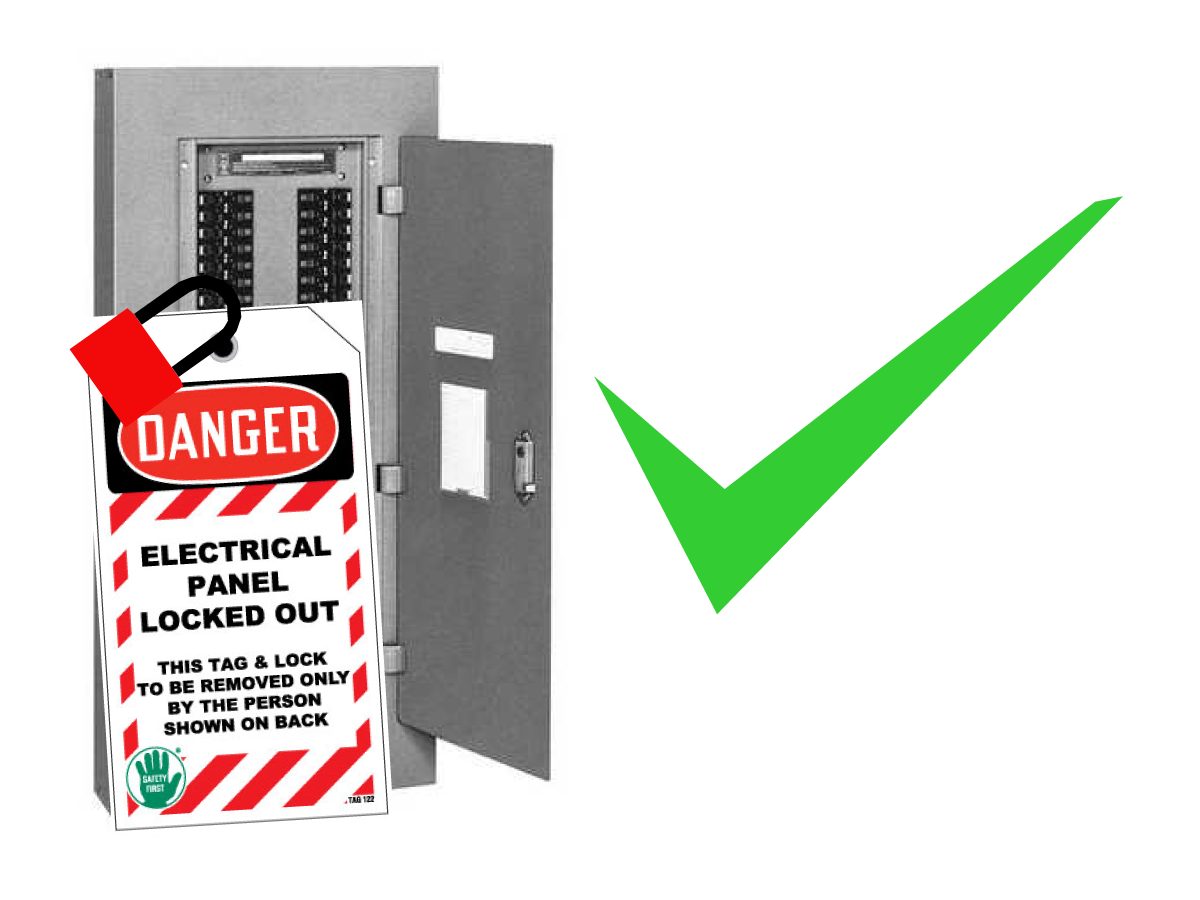
Electrical Safety

 DANGER: Working with the electrical services required for CNC machines is extremely hazardous and can result in serious injury or death.

Before connecting/disconnecting line wires to the CNC:

  • Turn off all power to the machine at the source.
  • Perform a Lockout-Tagout (LOTO) procedure to ensure the power remains off during service.
  • Verify that power has been disconnected by using an AC voltage detector on all incoming lines.

If you are uncertain about how to safely disconnect power or perform LOTO procedures:

  • Do not proceed.
  • Contact qualified personnel or obtain appropriate assistance before continuing.

Failure to follow these precautions may result in electrical shock, equipment damage, or fatal injury.

Initial Control Inspection

Danger: At this point, there should be no electrical connection to the machine. The electrical panel must be closed and secured. When main switch is on, there is HIGH VOLTAGE throughout the electrical panel (including the circuit boards and logic circuits) and some components operate at high temperatures. Therefore, exercise extreme caution when working in the panel.

  • Set the main breaker switch at the upper right of the electrical panel on the back of the machine to OFF.
  • Using a screwdriver, unlock the two latches on the panel door, unlock the cabinet with the key, and open the door.

Installation

1

Determine if the machine has 33-9943 or 33-9943A installed. This cable goes from the top of the K1 contactor to P14 on the PSUP. 

33-9943A will have an additional loose plug [1] while 33-9943 will only have connections from the K1 to the PSUP. 

If the machine already has 33-9943A, skip to step 6. 

2

The K1 contactor is commonly placed behind the breaker, so if cable 33-9943 needs to be replaced, it may be necessary to remove the breaker. 

3

It is important that the pins on 33-9943A are placed into the correct terminals on the K1 contactor. They should be placed left to right: 71-L1 [1], 72-L2 [2], and 73-L3 [3]. These will match the labels on cable 33-9943 that is being removed. 

Plug the male connector on 33-9943A into P14 [4] on the top right of the PSUP. 

4

Remove the L74 [1] and L76 [2] taps from the transformer and run them through the current meters on the Eco Mode assembly. 

Use the magnets on the back of the Eco Mode board assembly to attach the assembly to the side of the cabinet. 

Reconnect the L74 and L76 to the transformer taps. 

5

Plug cable 33-1557 into the Eco Mode board [1] and into the pigtail on cable 33-9943A [1]. 

Connect J2 [2] either to the previous CAN node or the IO board. 

Connect J3 [3] to the next CAN node.

See the CAN Manual for diagrams and Node orders. CAN Bus Systems - Service Manual

6

Reconnect the power and turn the machine on. 

Pull the latest configuration files from HBC and apply them to the machine. Configuration File - Download/Load - NGC

Since this procedure makes changes to the CAN BUS system, it is likely that several CAN BUS and IO alarms will be generated once the machine is powered on. Review the alarms that are generated and resolve them. See the CAN Bus Troubleshooting guide for additional details. 

Recently Viewed Items

You Have No Recently Viewed Items Yet

Feedback
Haas Logo

Haas Delivered Price

This price includes shipping cost, export and import duties, insurance, and any other expenses incurred during shipping to a location in France agreed with you as a buyer. No other mandatory costs can be added to the delivery of a Haas CNC Product.

KEEP UP WITH THE LATEST HAAS TIPS AND TECHNOLOGY...

Sign up now!   

HAAS TOOLING ACCEPTS THE FOLLOWING:

  • Service & Support
  • Owners
  • Request Service
  • Operator Manuals
  • Haas Parts
  • Rotary Repair Request
  • Pre-Install Guides
  • Shopping Tools
  • Build & Price a New Haas
  • Available Inventory
  • The Haas Price List
  • CNCA Financing
  • About Haas
  • Accessibility Statement
  • DNSH Statement
  • Export Compliance
  • Careers
  • Certifications & Safety
  • Contact Us
  • History
  • Terms & Conditions
  • Haas Tooling Terms & Conditions
  • Privacy
  • Warranty
  • Haas Community
  • Haas Certification Program
  • Haas Motorsports
  • Gene Haas Foundation
  • Haas Technical Education Community
  • Events
  • Join the Conversation
  • Facebook
  • X
  • Flickr
  • YouTube
  • LinkedIn
  • Instagram
  • TikTok
© 2026 Haas Automation, Inc – CNC Machine Tools

This site is protected by reCAPTCHA and the Google Privacy Policy and Terms of Service apply.

2800 Sturgis Rd., Oxnard, CA 93030
Toll Free: (888) 817-4446 / Fax: 805-278-8554